***JOINER FORMATION***
Always make sure to send 110k troops
A good ratio that's easy to remember is:
🛡️Infantry - 5.000
🐎Cavalry -10.000
🏹Archer - 95.000
***ALLOWED HEROES***
Only use one of the following heroes when joining a Bear Rally. If none are available, join without a hero.
All heroes need to be at least 3 stars ★★★! However, 4-star heroes are preferred.
| PERMITTED HEROES LIST | ||
|
|
AMANE |
Attack Up 25% 4★+ |
|
|
Luna |
|
|
|
MARGOT |
|
|
|
CHENKO |
Lethality Up 25% 4★+ |
|
|
YEONWOO | |
|
|
WEE & WOO |
Attack/Lethality Up 15% / 10% 4★+ |
|
|
VIVIAN |
Enemy Damage Taken Up 25 % 4★+ |
|
|
NO HERO | No buffs, but good filler |







***HOW TO SAVE YOUR FORMATIONS***
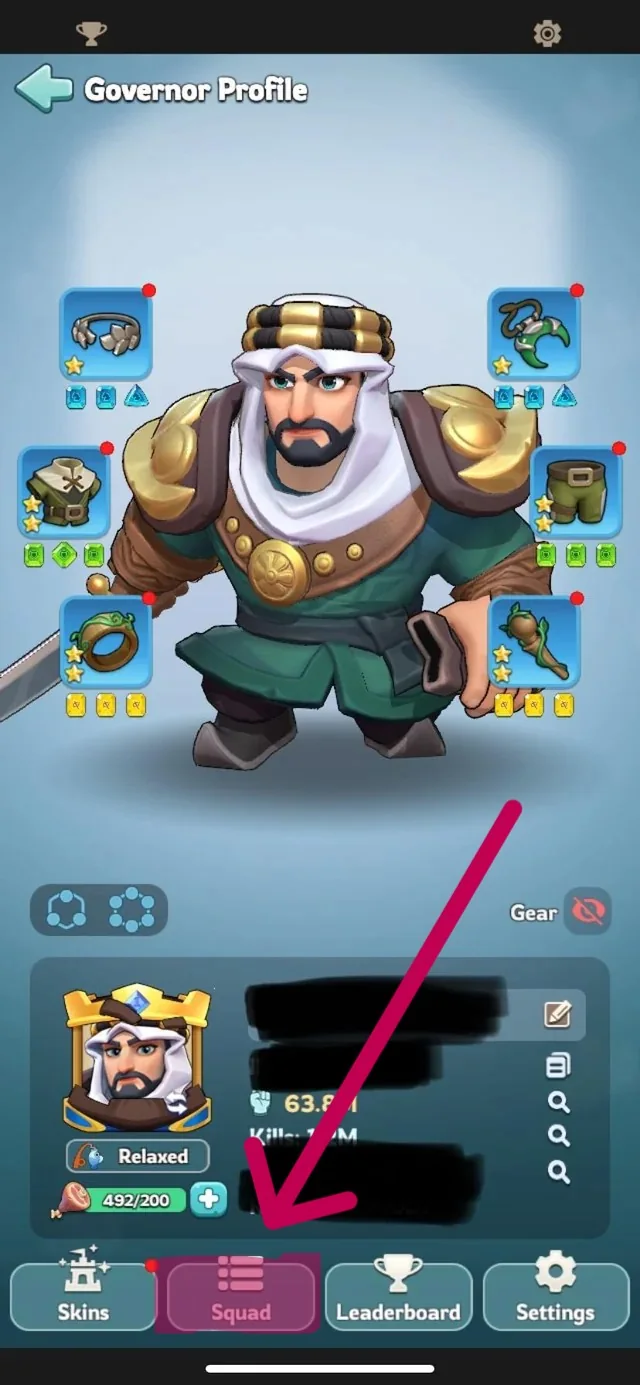
1. Open your governor profile and tap on 'SQUAD'.
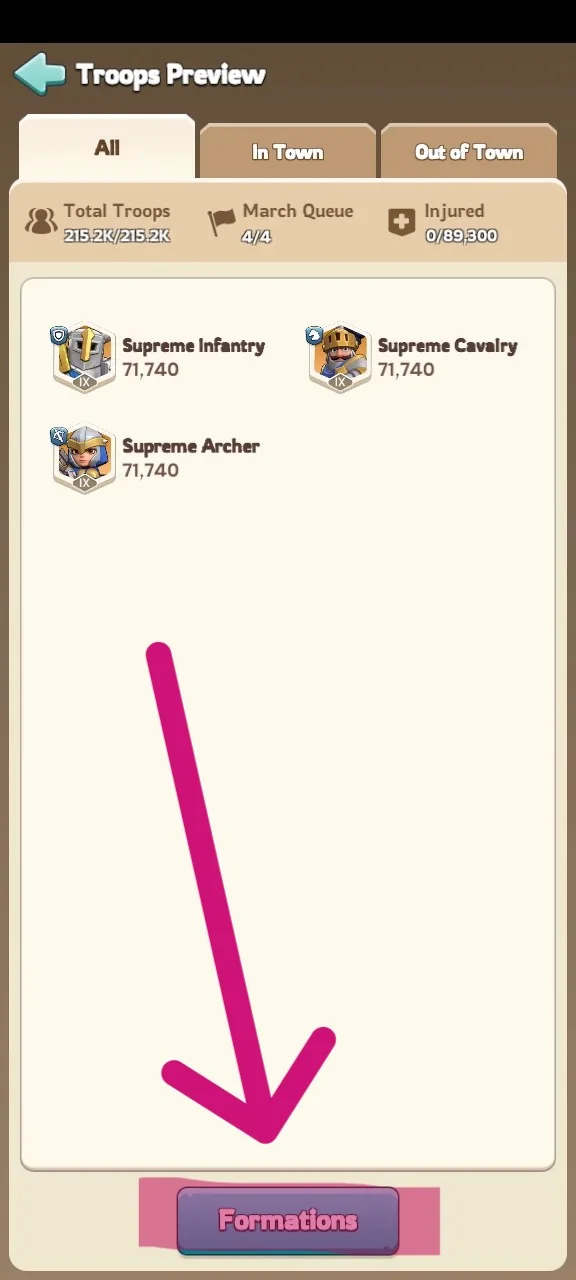
2. Go to your 'FORMATIONS'.
3. Choose a hero from the Permitted Heroes List. In this example, we will be using Chenko.
4. Now set your troop formation and tap on 'SAVE'.
![Screenshot_2026-08-13-14-58-29-454_com.run.tower.defense[1].jpg](/guides/images/46)
5. A box will appear asking you to pick a slot where you wish to save this formation.
![Screenshot_2026-08-14-15-22-01-167_com.run.tower.defense[1].jpg](/guides/images/47)
6. Choose a slot, give it a name, and then you MUST check the box that says 'SAVE BY TROOP QUANTITY'. This is very important!
![Screenshot_2026-08-14-15-22-15-640_com.run.tower.defense[1].jpg](/guides/images/48)
7. Once you've set everything correctly, you can tap on 'CONFIRM'.
8. Repeat these steps to save more formations with all the other available permitted heroes you have.
![Screenshot_2026-08-14-15-31-47-370_com.run.tower.defense[1].jpg](/guides/images/49)
![Screenshot_2026-08-14-15-31-49-695_com.run.tower.defense[1].jpg](/guides/images/50)
![Screenshot_2026-08-14-15-31-52-516_com.run.tower.defense[1].jpg](/guides/images/52)